GSoC 2008 Proposal : Wordpress Upgrader

My proposal for Google Summer of Code is a Wordpress Updater.

WordPress currently advertises how easy it is to install with its patented* 5 minute install. Upgrade is also supposedly really easy. Just delete all you old WordPress files, upload the new ones, and go to upgrade.php. In reality, this is more complicated than it seems. You have to make sure you delete only the WordPress files, don’t overwrite your other files, all the files still have the same permissions that they did before uploading, and making sure all the back up were done correctly. This proposal plans to make it a much simpler and quicker task of upgrading with easy to use and follow pages that goes through all the aspects of upgrading.

Here’s the basic concept I thought of:

  1. Backup all WordPress files.

    • This is a security risk, but it can be lowered by using some obfuscated file/folder combination, or even better, using encryption. An option could also be added to back up all files in the WordPress directory
  2. Backup the database

    • Also a security risk, but can be lowered using same scheme as the file backup. The user would then be prompted to download these files.
  3. Check for plugin/theme incompatibilty

    • I’m unsure what this will take. It could be something that will just check to see if it has a max version listed, or it could try running them in a sandbox for the new version, like what WordPress currently does when installing plugins.
  4. Download latest.(zip|tar.gz) from wordpress.org and extract it (Not overwriting any current files)

    • It could also support using nightly or beta builds, or checking out the SVN trunk
  5. Confirm update with user plus other pre-update information or options

    • It could support something like replacing the site with a ‘Site Down’ page or something along those lines
  6. Replace all the WordPress files with the new version’s.

    • It can be optional to replace the plugins and themes included. This can also not replace files that have not changed between versions.
  7. Run update.php.

    • Most likely just using an iframe
  8. Upgrade done.
    • Delete all the downloaded files, and optionally delete all the backups.

Other possible features:

  • Revert back to the previous version
  • Automatic upgrading

The probable evolution of it would be a drop in file, followed by a plugin, then if seen as useful, added to the WordPress core. At the first deliverable (Midterm), it will be functional, as in does the upgrading, but will probably not be a plugin and be really refined. At the final deliverable, it’ll be a feature-rich plugin with all features listed above.

First problem, it won’t work on all configurations. WordPress doesn’t either. If you’re using a MySQL user without CREATE and DROP privileges, adding plugins probably won’t work and neither will upgrade.php. It’ll give you errors while without worrying about them, changing the WordPress version, causing you to either revert to a backup or find out all the queries run and running them as a privileged user.

Also, the plugin updater would be affected by the same file permission problems that this would be susceptible to.

This is the most popular idea of from the ideas section. Though I didn’t choose this idea due to that, I just believe that the one thing WordPress really needs is a quick and painless way to upgrade.

There currently is a plugin that does this, but it seems a little large and its security practices seem a little iffy.

* Of course, it’s not patented, but it makes it sound cooler.

Added Plugins To Wordpress.org

I’ve added most of my widgets from Widget A Day. This is to enable update checking and updating in newer versions of Wordpress.

For some reason, you have to have the plugin uploaded to wordpress.org to be able for Wordpress to check if it’s out of date. Not sure why they couldn’t let people add an update url in their plugin informations that Wordpress would check. The only reason I can think of, without actually trying to figure out the real reason, is that all the plugins could be checked using a single request, instead of a request for each plugin. I don’t really think they should automatically just send your plugin information to themselves without asking or having a way to opt out, but whatever.

I didn’t add the Digg Widget or the Countdown Widget. The Countdown widget I just thought was lame.

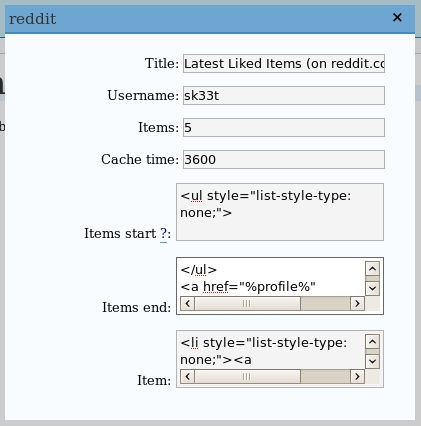
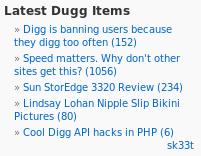
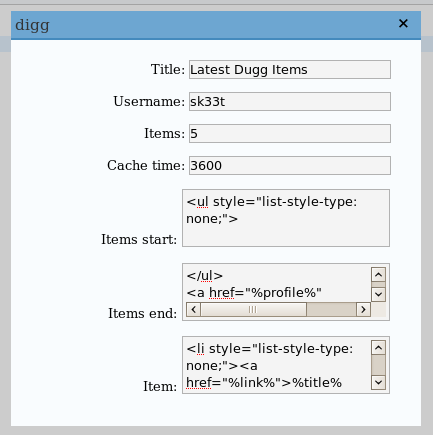
A Digg Widget already exists, but it just uses the Javascript script that digg gives out, which isn’t any fun. I’ll probably still end up uploading it as ‘Digg Widget by sk33t’ or ‘Script-less Digg Script’ or something along those lines.

Also, I’ll post my GSoC proposals here in the next day or two

WTF WordPress?

They showed me about updating Wordpress.

It seems it keeps deciding to add spam to my latest post which causes it to not be shown anymore, for some reason. And it only started right after I updated it from my highly out of date version, which was working fine.

Sure, it had SQL injections, XSS vulnerabilities, and content disclosure problems, but it worked fine. Now this version not only is lacking all those cool things listed in the beginning, well for at least a day or so, but kinda forgets about the whole working part. Hooray!

Now, I’m not sure if it’s a problem with my server, but haven’t had this problem with any of my other Wordpress installations or the old version, and my other versions are only 1 version out of date. I also have no problem with any of the older posts, just the one after the 2.3.2. upgrade.

I guess I learned a lesson about updating Wordpress. Don’t. Just don’t.

We're Back

After a 35 minute downtime of upgrading Wordpress, which seriously guys, upgrading is a pain in the ass, we’re back. And by we, I mean me.

Anyways, went from 2.1.3 to 2.3.2. It had been a while. Why? Because as I said, upgrading is a horrible experience.

Here’s my .bash_history for the upgrade session.

Oddly exactly 100 lines.

You might notice I made the directory ja.meswilson.com. That’s becuase I bought the domain meswilson.com, mainly so I could have the domain j @ meswilson.com, because that’s awesome.

I haven’t decided if I’ll switch this to that domain (I do kinda like nothingoutoftheordinary.com), so I guess we’ll see. If I do switch, most people probably won’t notice except it might take an extra few hundred milliseconds for the redirect.

And dear Wordpress, make upgrading easier. You advertise a really quick install, it’s just the upgrading that kills ya. If you don’t do it, or someone hasn’t already, I’m going have to, and I don’t feel like doing anything.

Bye TechCrunch

Paintball Board Software Types

I wrote a post on Paintball Headlines that had a side note about how paintball board software was done, and how I might write python scripts demonstrating both ways.

Well, I did. Here they are.

threaded.py runs the check in different threads while event.py only runs the check when an event occurs (the trigger is pulled). You can look a the source code of each to understand the differences.

These weren’t made or show that one way is better than the other, they just demonstrate both methods.

Do I know how they do it? No. I’m sure they aren’t running higher level language like python. If any board manufacturers want to let me know, please comment.

I’m also sure that actual board software is done much better, and not the work of some 20 year old hacking some code together in about an hour.

Yahoo Shortcuts, This Might Be Useful

Yahoo decided it needed to promote some of it services by making a WordPress plugin that allows you to add Yahoo based info to your post. It “reviews” your post as you write it to see what useful extra information it can add. Like, give a location, and you can add a Yahoo map to your post.

Like the example adds a map to the University of Texas when you mention it, since people might happen to know where Austin is but not where UT is. Here’s a hint, go to Austin, and bam, there’s UT.

Buit alright, you can get useful Flickr photos for your post. Let’s see what it recommends for this post. O wait, it doesn’t work with the Wordpress version, crap. I did install it on another blog that has an updated version of Wordpress.

You might be wondering why I have a really outdated version of Wordpress. It’s because it’s hard to update Wordpress. Here’s how I update everything on my computer, apt-get update. For Wordpress, you need to copy everything a couple of times, wget latest.tgz, change the user and pass it uses for MySQL (it usually doesn’t have create or delete privileges), and then have to make sure everything works, which something of course broke during that.

Anyways, copying this over to my other blog and looking at the rcommendations, it allows me to “Search the Web” for University of Texas, Flickr photos, and Wordpress, and the Flickr photos recommendations are all UT based and have nothing other than the UT related to it. Trying to load more photos though, doesn’t work. It’ll load maybe a couple photos then just do nothing.

Sorry Yahoo, but this just isn’t that useful. It might have looked good on paper, but it just has such a limited use. The Flickr photo addition could be useful, but in this case, it definitely wasn’t.

Secure GMail Shortcut (Plus Google Reader)

These are just shorter urls to access GMail and Google Reader securely.

Secure GMail:
http://g.xrho.com/ => https://mail.google.com/mail/

Secure Hosted GMail (edit domain.tld with your domain):
http://g.xrho.com/domain.tld => https://mail.google.com/a/domain.tld/

Secure GMail HTML Only:
http://h.g.xrho.com/ => https://mail.google.com/mail/h/

Secure Hosted GMail HTML Only (edit domain.tld with your domain):
http://h.g.xrho.com/domain.tld => https://mail.google.com/a/domain.tld/h/

Secure Google Reader:
http://r.g.xrho.com/ => https://www.google.com/reader/view/

Current Server Stats

Link 1 VPS from vpslink.com. $7.95 a month.

CPU: Intel Core 2 Duo 4400 (2.0 GHz) (not sure what percentage I get)
Memory: 64 MB RAM (no swap, should’ve gotten Xen)
OS: Ubuntu 7.10
Server: lighttpd w/ PHP via fastcgi
DB: MySQL 5
Hard Drive Space: 2.5 G (1.4G - 57% used)
Avg load avg: 0.01, 0.00, 0.00
Avg MemFree: 16768 kB
Current access.log lengths: 45081 (lighttpd) + 7589 (apache2 - not in use anymore) = 52670 lines
Current bandwidth used: ~ 500 MB (50 MB / day)
Max down speed: 5.37 MB/s (4.86 MB/s avg for full file)
No FTP server

They say the Link 1 & 2 are good only for hosting static files, but PHP and MySQL seem to be working pretty well… with lighttpd. With apache2, not so much. It would run out of memory occasionally, and unlike with lighty, the only way to lower it was to restart the server, though I was able to get it working, which a lot of people apparently couldn’t do.

If you want any other information, just comment. Also, if you want to me to post my lighttpd.conf, my.cnf, or apache2.conf, I can. I might write up a how-to in the future, maybe in the vpslink wiki. If someone actually wants it, I actually try to make sure I do do it.

Netfirms to Me. You Thought You Could Cancel Your Service?

Here’s a screenshot of the account page on Netfirms:

Which one do you think will allow you to turn auto-renew off?

Product Renewal? Nope. I can renew it early if I feel so obliged.

Billing Profile? Think again. I can change my credit card, it must be valid, to be able to still renew my account.

User Profile? Haha, no. I can change where I live though.

Upgrade account? Hey, maybe there’s a way to downgrade. But no. I can upgrade to my current account plan, somehow.

None of the other things have anything to do with renewing, so let’s try the support section.

“turn off auto renew”? Nope. How to do I renew my domain or Plan?

“cancel”? How do I transfer my hosting from my existing Provider to Netfirms?

Damn. I guess I’m going to have to contact them. Oh yeah, they have a horrible form. Oh yeah, they have to make sure you checked the FAQ. Yes, inquiry sent.

Hmm. Since it’s almost 2 AM here, and tomorrow is Thanksgiving (though I don’t know if there’s some sort of Canadian Thanksgiving, but no matter, I’m sure they’ll take off tomorrow), and they don’t like working of Fridays or weekends, I guess I might hear from them on Monday, which is 2 days before it automatically renews it again. Uggh.

Update: Damn. Got my email much earlier than expected.

We are sorry to hear that you have decided not to continue hosting with Netfirms.
We would like to inform you that we process all cancellations by phone. Simply call our toll free number 1- 866 - 973 - 4664 Monday-Friday between 9:00 am and 9:00 pm Eastern Time, so that we may assist you.

Yeah, that’s right. You have to call them. A place that completely relies on web-based service requires you to call them to cancel. What the hell? Guess I’ll call them tomorrow (want to download a complete backup before it’s canceled) and hopefully it’ll be over (no wait, I also have to cancel my other one in a month or so), though I’m not sure if they’ll give me my 14 days I still have left on it.

Close
E-mail It